【Claude Code 多开】| Tmux-Orchestrator 方案
https://github.com/Jedward23/Tmux-Orchestrator
Tmux-Orchestrator 是一个利用 Tmux 全天候自主运行多个 Agent 实例的系统。
它可以像一个 AI 团队一样合作。
系统中有三种角色,Orchestrator、Project Managers、Engineers。Orchestrator 负责统筹协调一切工作,Project Managers 负责分配任务、执行需求说明书,Engineers 负责代码实现、修改 bug。
每一个 Agent 实例都运行在它们自己的 Tmux 窗口中。Agent 和 Agent 项目中的脚本完成通信,它可以在 Tmux中,让窗口之间可以发送消息。
优势?为什么这样做?
多 Agent 分工的模式而不是一个 Agent 完成所有工作,可以缓解大模型上下文长度限制的问题。
其次,让 Agent 负责单一的任务,可以创建专业性更强的、目标更明确的 Agent。
准备 tmux 通信代码
创建一个项目文件夹,克隆上面的仓库
App/
├── Spec/
│    ├── ui-reference/
│    ├── backend-spec.md
│    ├── frontend-spec.md
│    ├── integration-spec.md
│    └── main-spec.md
├── Tmux-Orchestrator/  # 克隆的仓库
├── Format.md
└── Prompt.md
创建 session
tmux new-session -s my-first-agent -c <project_path>
project_path为项目根路径,这样 Claude Code 在创建新 session 窗口和 Claude Code 实例的时候,会自动进入项目目录
打开 Claude Code,输入以下内容。|建议使用开放权限的命令 claude --dangerously-skip-permissions
You are an AI orchestrator. First, let's test that everything works:

1. Check what tmux window you're in:
   Run: tmux display-message -p "#{session_name}:#{window_index}"

2. Test the scheduling script:
   Run: Tmux-Orchestrator/schedule_with_note.sh 1 "Test message"

3. If that works, tell me "Setup successful!" Then I'll give you a project to work on.
在代码中存在一些硬编码问题,Claude Code 会自动帮你解决。

给代码中使用 claude 命令的地方开放权限。
Please Look through all the commands and replace the claude command with claude --dangerously-skip-permissions生成需求说明书
我们需要一个概要说明书,一个 prompt 来生成 Spec/ 下所有的需求说明书。
而这个 prompt 本身也可以通过 Claude 生成。
通过将以下内容保存为文件,上传给 Claude,然后和它聊聊你想要开发的应用,并以提供的文件为模板生成一份 prompt。
I need you to create complete project specifications for my full-stack application.

APP DESCRIPTION:
[Describe your app here - what it does, who uses it, main features]

TECH STACK PREFERENCES:
- Frontend: Next.js 14, TypeScript, Shadcn UI, Tailwind CSS
- Backend: FastAPI, PostgreSQL
- [Add any other specific libraries you want]

INCLUDE THESE FEATURES:
- [List specific features that need their own specs]
- [e.g., Authentication system]
- [e.g., Real-time chat]
- [e.g., Payment processing]

EXCLUDE THESE FEATURES:
- [List anything you don't want]

UI REFERENCE:
I have a design screenshot at specs/ui-reference/design.png that should be copied exactly.

Please create these specification files:

CORE SPECS (Required):
1. main-spec.md - Overall project blueprint with phases and git rules
2. frontend-spec.md - Detailed frontend implementation
3. backend-spec.md - API specification
4. integration-spec.md - How frontend and backend connect

FEATURE SPECS (Create separate files for each):
For each feature in my "INCLUDE THESE FEATURES" list, create a dedicated spec file named:
- [feature-name]-spec.md (e.g., auth-spec.md, chat-spec.md, payments-spec.md)

Each feature spec should include:
- Overview of the feature
- Frontend components needed
- Backend endpoints required
- Database models
- Integration points with main app
- Testing requirements
- Implementation phases

Make sure ALL specs include:
- Clear phases with time estimates
- Git commit reminders every 30 minutes
- Specific implementation details
- Success criteria for each phase
- Dependencies on other specs
在得到的 Prompt 中,需求仔细核对开发的技术栈、项目的核心功能、项目的开发周期。
然后将内容保存到 Format.md 中,并让 Claude Code 根据这个文件的要求去生成需求说明书。
多开 Claude Code 创建一个团队
当需求说明书准备好以后,使用一个特殊的 Prompt 来启动项目。
指定项目路径,不要使用相对路径,并且要从 home 目录开始。
指定需要创建的团队。
I need you to build a full-stack application. The specifications are in ~/Code/App/Spec/

Please:
1. Create a frontend team (PM + Developer)
2. Create a backend team (PM + Developer)
3. Have them build according to the specs
4. Check on both teams every 15 minutes
5. Ensure 30-minute commits

Create the team in new tmux window. Start both teams on Phase 1 simultaneously.

Make sure new windows launch claude and can revice message from you.
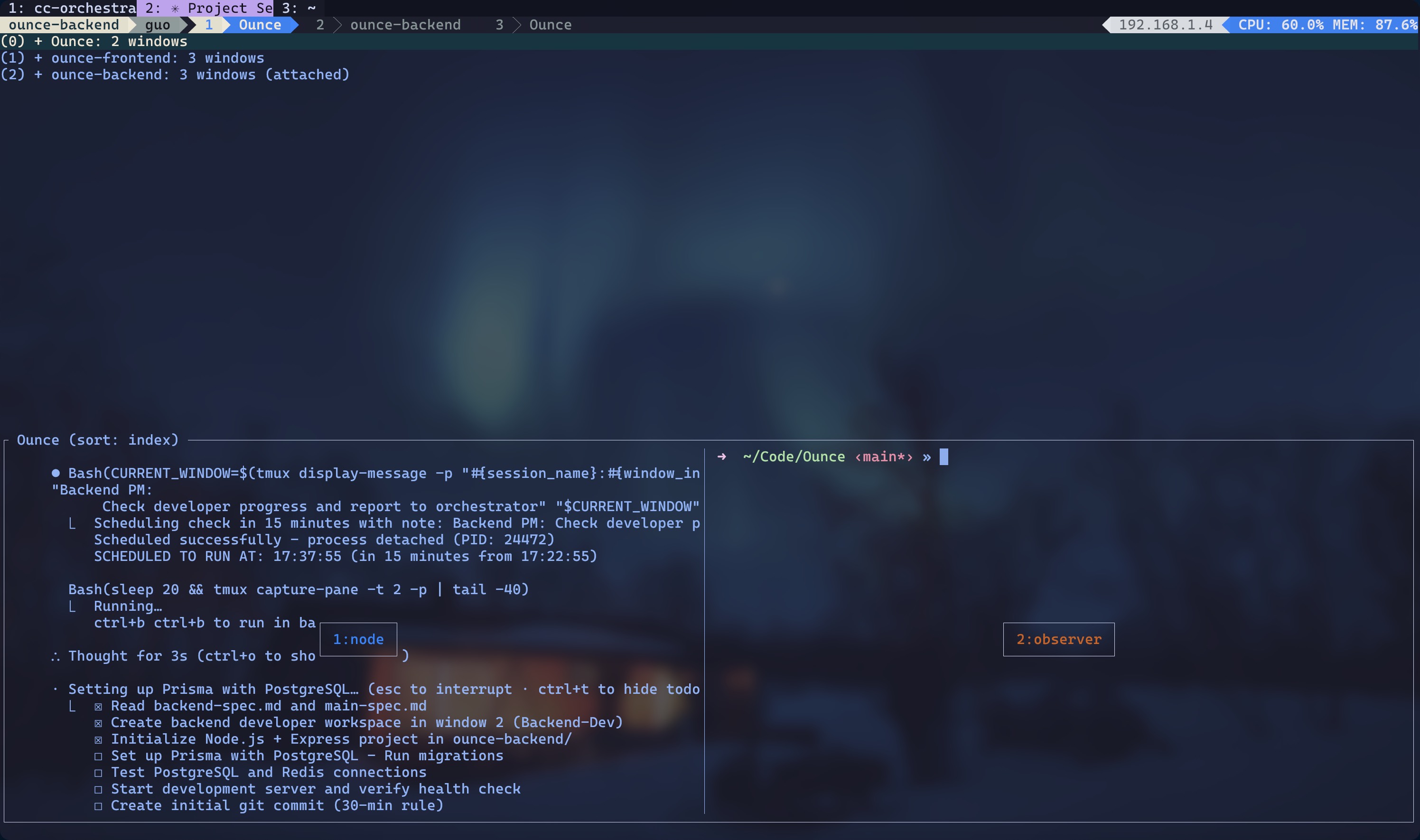
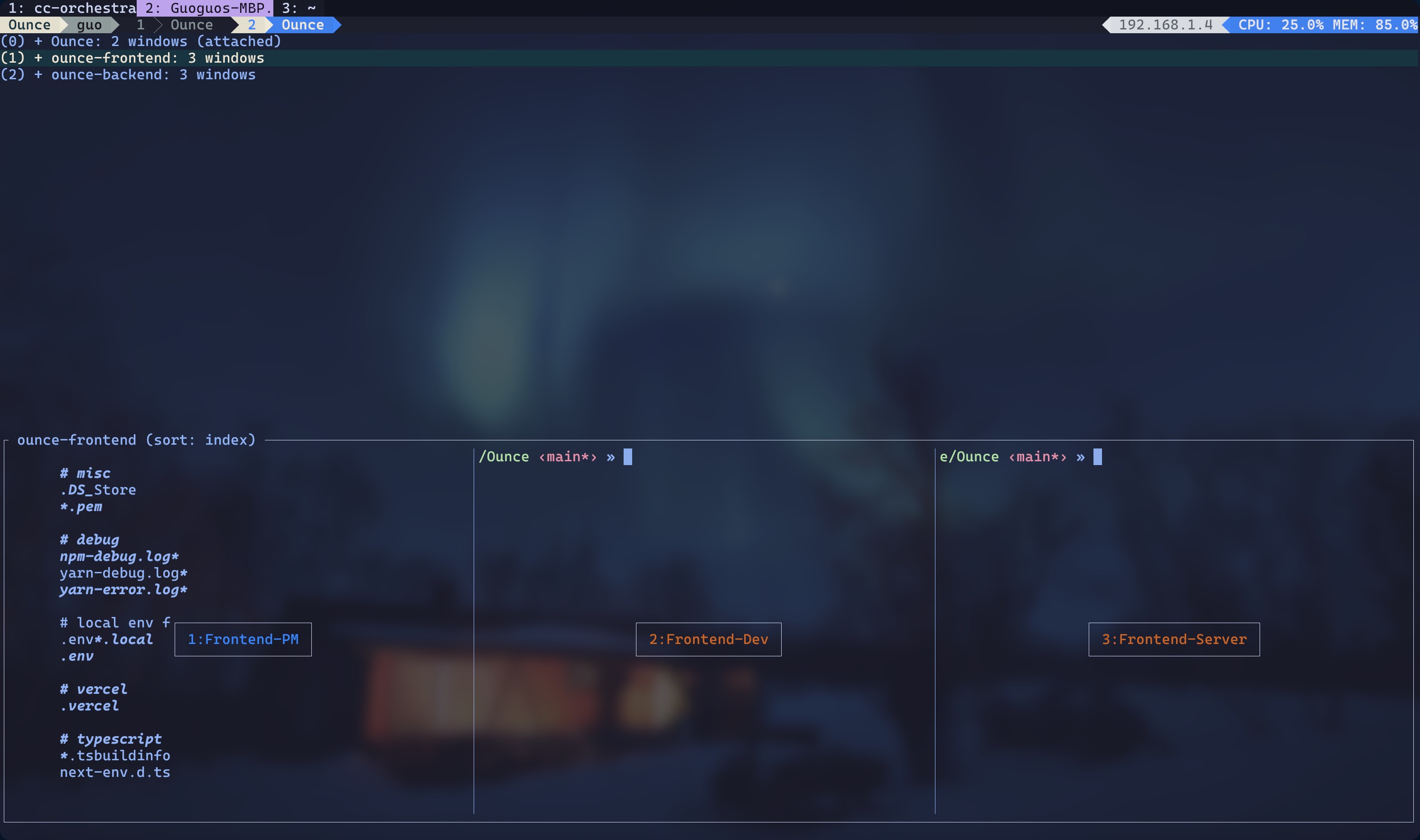
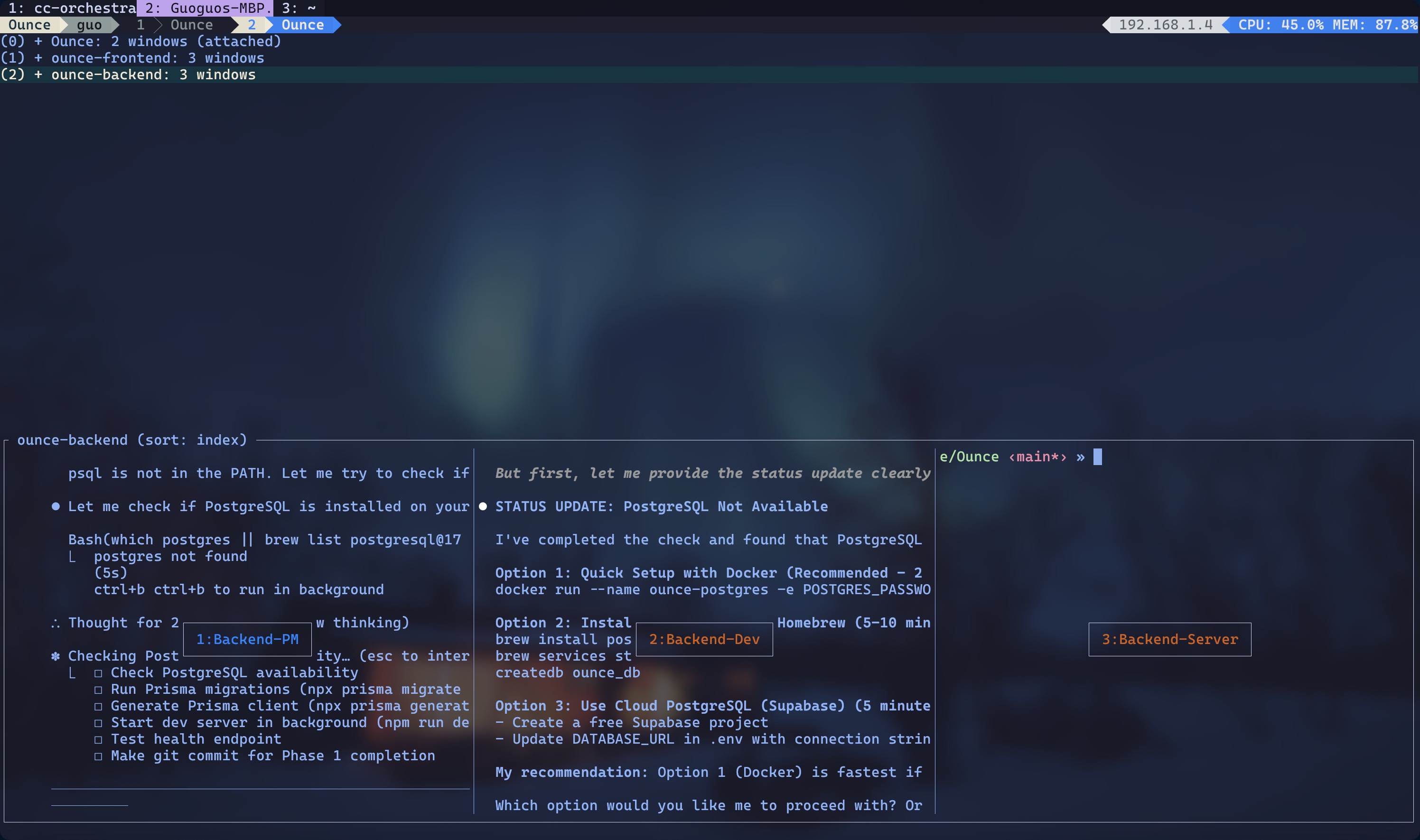
Orchestrator 正式启动后,会创建团队,一个团队会在一个 session 中。
References
[1] TMUX Coding Is INSANE… Upgrade Your Claude Code Workflow